Google Tag Manager Audit Example
Some of the Clients We’ve Helped












SUMMARY
1. Requirements
- Set-up accurate Visit-to-Sale tracking.
- Set-up macro goal conversion funnels.
- Set-up micro form field conversion funnels.
- Display all relevant data on dashboards

2. Issues
- Cross-domain tracking not working.
- Transaction counts not matching CRM system.
- Revenue not matching CRM system.
- Goal funnel steps were broken.
- Marketing Channel & cmpID not recording

3. Solutions
- Audit and resolve GTM issues.
- Audit and resolve GA issues.
- Link Adwords.
- Link GoogleWebmasterTools.
- Add GA everywhere via Adobe DTM.

4. Next Steps
- Phone Call Tracking.
- SEO optimisation.
- Adwords Optimisation.
- CRO & A/B Testing.

40 hours of SEO Analysis Within Minutes!
Fast. Secure. Free.
GTM Fixes
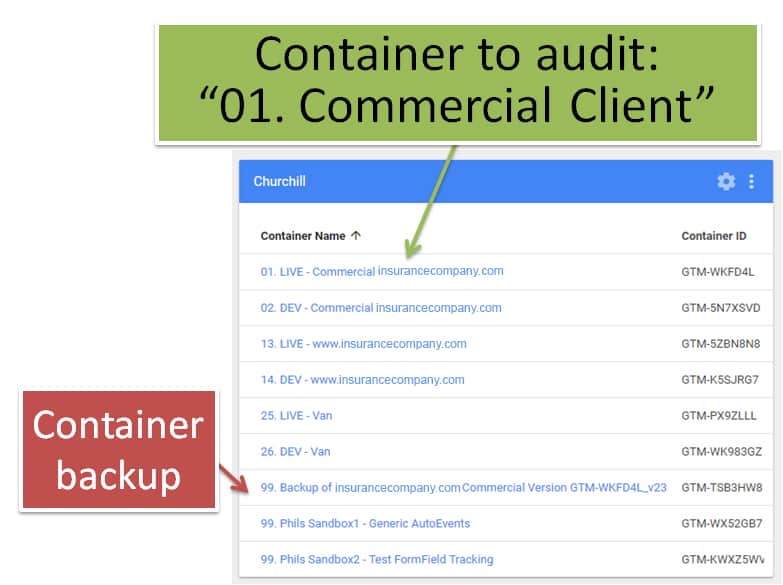
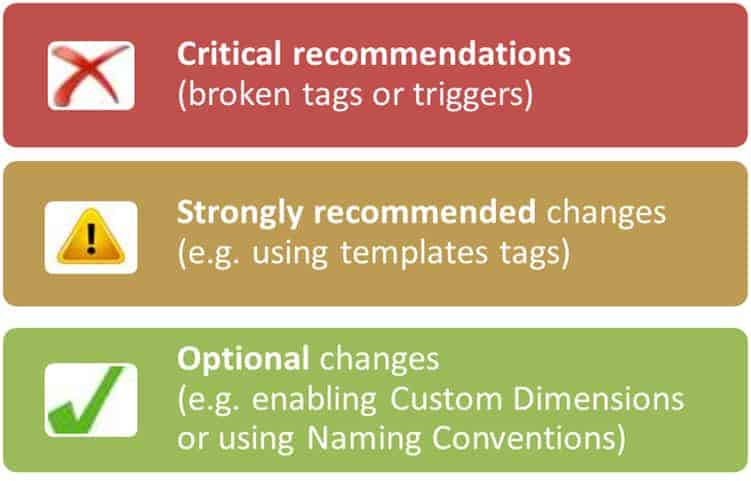
This audit has 3 classifications…
Audit Score
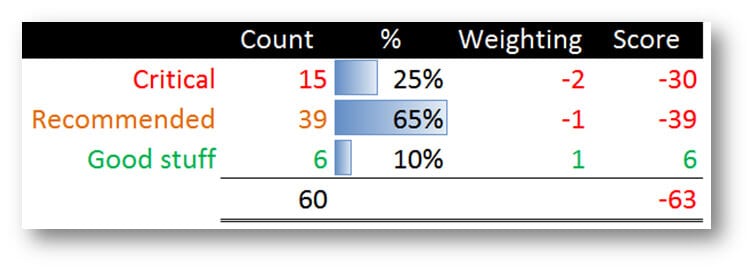
Findings & recommendations…
Good stuff
- Basic Naming conventions for Tags in use.
- GA transactions are enabled.
- dataLayer enabled on QuoteSummary & Thankyou pages
- 2 of 25 tags are in Templates
- Publish account access is well controlled
 Recommended Fixes
1. Process issues:
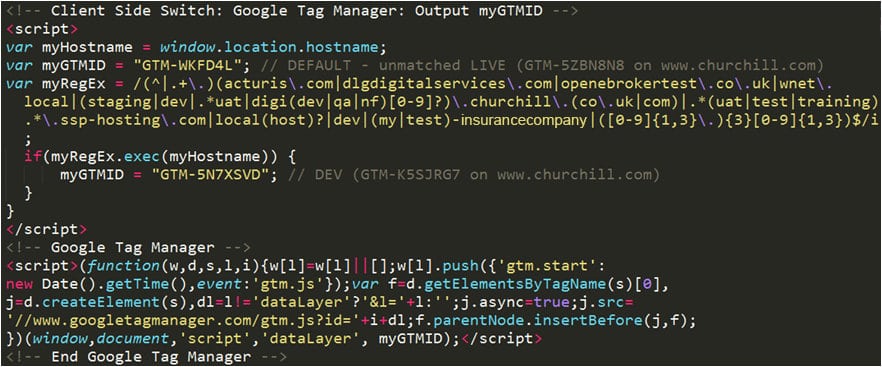
- No separation of DEV vs LIVE environments in GTM hence 59% of revenue and 18% of transactions are Test orders from acturis.com in November
- Tag Templates for GA & DC not used! (effects 92% of tags)
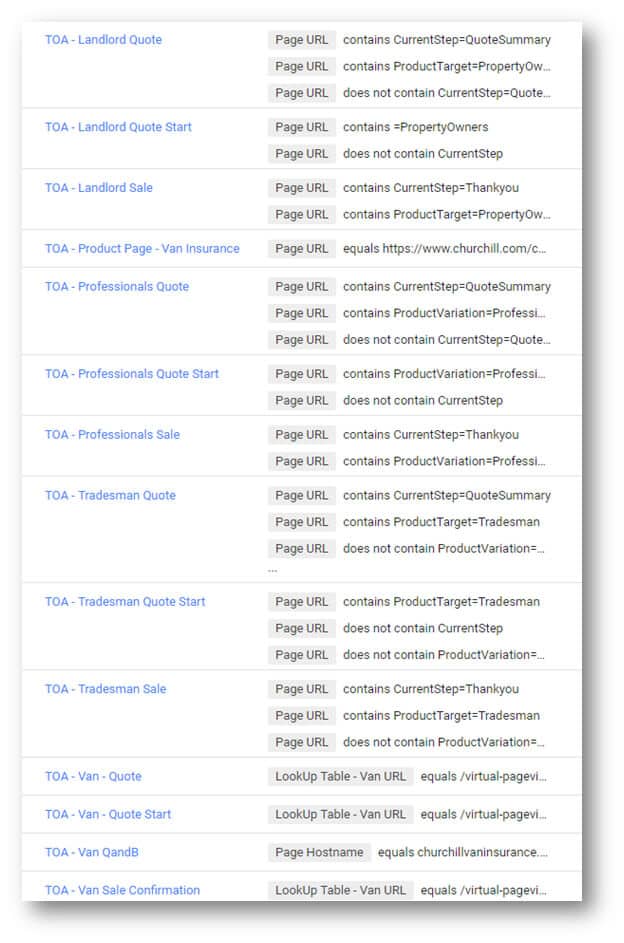
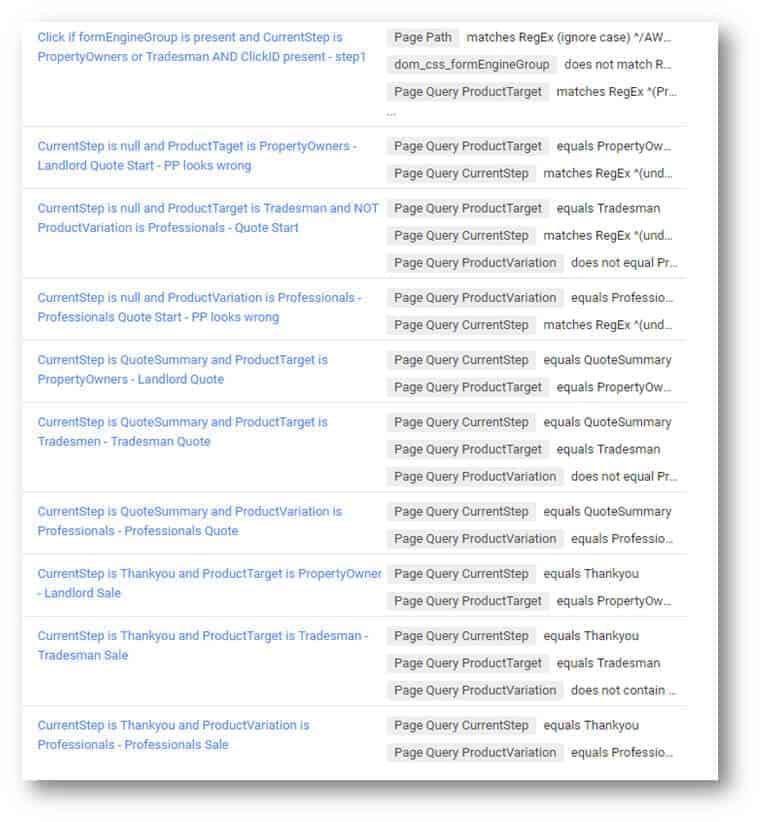
- Trigger naming conventions not clear.
- Tag & Version notes not being used.
- ContainerVersion number not being stored in GA.
- No evidence of Tag Taint Testing or Auto-QA testing.
2. Code issues:
- Direct Debit revenue showing as £0 as dataLayer.annualRevenue not populated(and patch for dataLayer.monthlyRevenue >> dataLayer.annualRevenue not present).
- annualRevenue is too high as -10% Loyalty bonus not removed
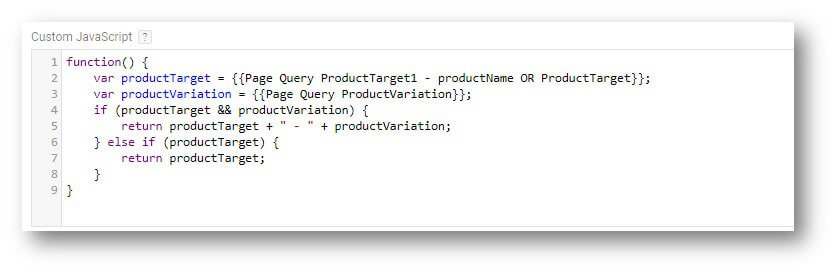
- ProductCategory script has a malformed JS statement on productVariations.match(‘Professionals’)===true
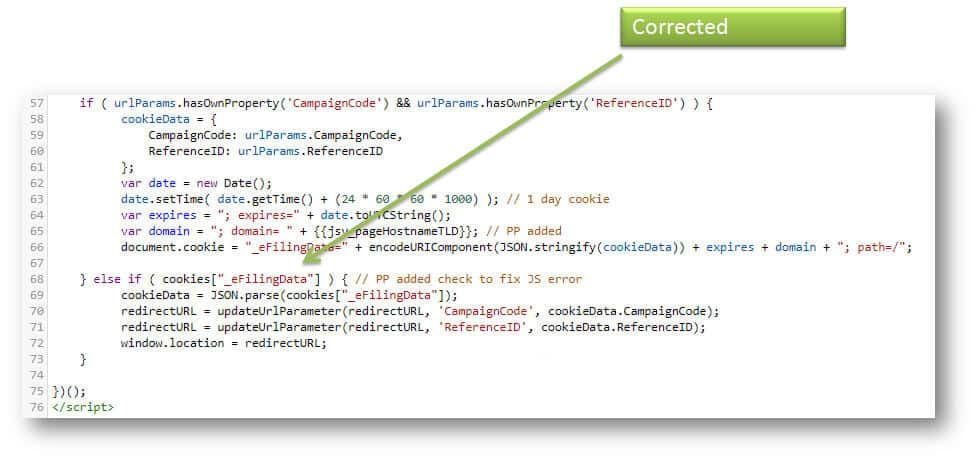
- eFilling script has JS error when no value was set.
- Unstable method used for determining virtualPageview using {{PageTitle}}. Changed to {{quoteStep}} or {{pageName}} which is much more stable!
- {{Page URL}} used rather than {{quoteStep}} hence DEV (digidev2.Client.com) will behave differently to LIVE (www.chirchill.com) as absolute hostname used
- Inline DataLayer reset, should be change to DataLayer append.
- Unnecessary jQuery dependency used in customVariable – Native GTM CSS selector is safer.
- JS errors should never be disabled using Try {} Catch{}, unless the Catch also outputs to dataLayer error listener.
3. Human errors in Tool usage:
- Van Q&B; funnel had double-pageview causing 0% Bounce rate & 0sec AvgTimeOnPage.
- DC tags were blocked on mobile version of Chrome – as document.write accidentally ticked on all 20 DC tags!
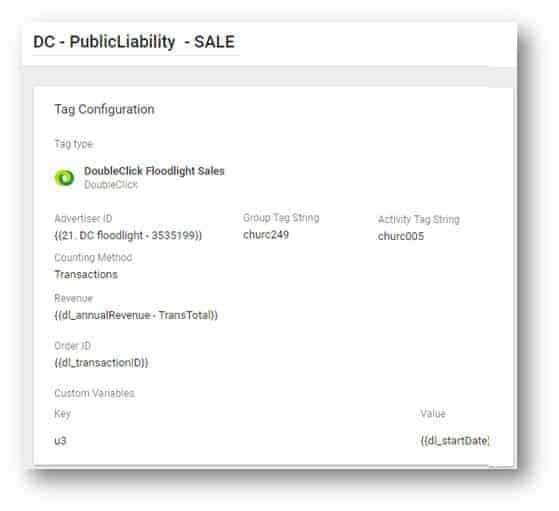
- [dl_startDate] entered rather than {{dl_startDate}}
- Safer method of using cross-domain not enabled.
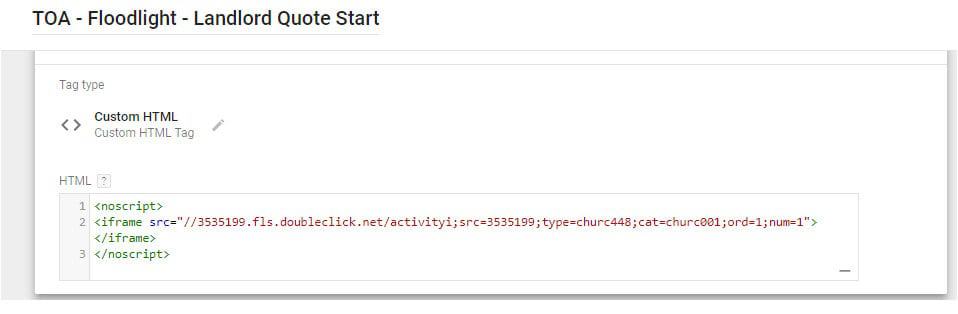
- No script tags were loaded within a
Feature Usage
- Critical DC & Adwords Conversion patch for Safari not enabled (called ConversionLinker).
- Native GTM auto-events not enabled
– JS error tracking not enabled – hence parse error not detected
– PDF download, mailto, tap-to-call
– 30sec heartbeat on landing pages
– Scroll tracking etc on blog/news pages
- Not utilising 5 contentGrouping
- Not utilising 20 customDimensions
- Not utilising 20 customMetrics
- Adwords Dynamic Remarketing not enabled.
- Bing Conversion Tracking missing.
- Facebook remarketing & SessionCam not enabled.
Missing Data Capture
Adobe cmpid / CampaignCode
Adobe Test & Target user-cohort versions
pageType (Adword required field)
quoteID (cartID)
annualQuote (cartTotal)
monthlyQuote (cartTotal)
annualRevenue (tranTotal)
monthlyRevenue (tranTotal)
quoteStep
brandName
productName
GA clientId
CRM userId
CRM loginStatus
CRM insurerPolicyNumber
mainTrade
premiumType
tradeStatus
tradeType
startDate (for Policy)
GTM event
GTM containerVersion
GTM containerID
Detail GTM usage
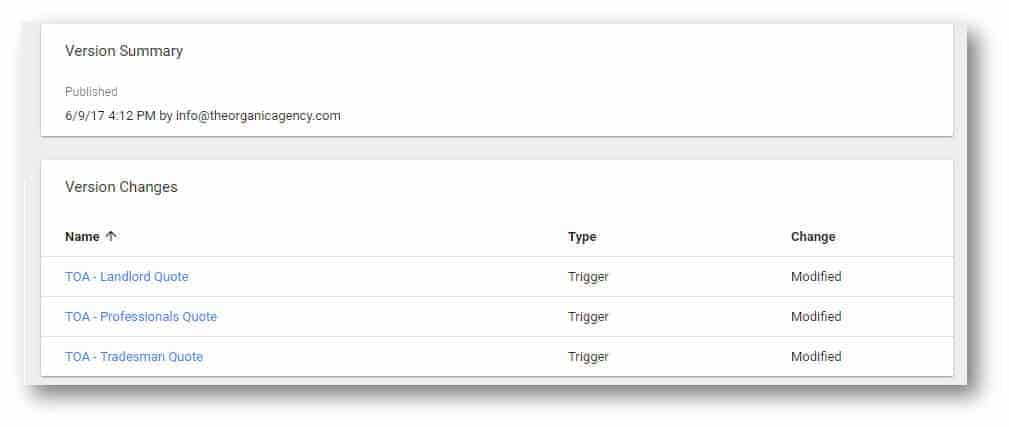
23 versions with 14 tags Edited 6 months ago on 6th June
Detail GTM GTM fix/change frequency…
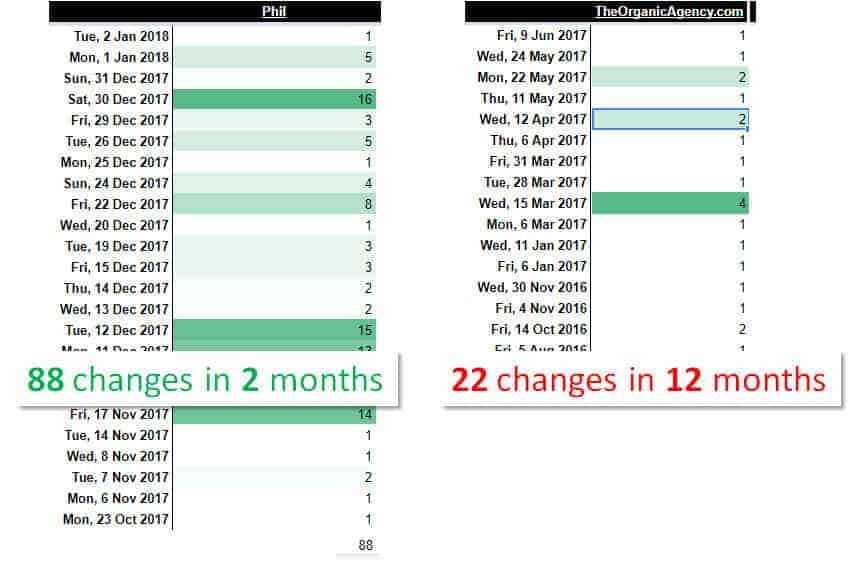
Phils GTM changes…
- Clean-up existing GTM container
- Enabled JS error listener
- Enabled Enhanced Bounce Rate
- Enabled FormField tracking
- Fixed _eFilling JS error with JSON.parse error
- Fixed GTM bug with JS compiler on productVariation.match(“Professionals”).
- Standardises cross-domain tracking.
- Added transRevenue for DirectDebit
- Added 15% interest to DirectDebit TotalRevenue
- Added PaymentType=DirectDebit | Annual tracking
- Added cmpid >> utm_id tracking
- Added GA classic seamless migration event
- Added QuoteID & startDate to CustomDimensions
- Added QuoteValue CustomMetric
- Updated formFields with sequential number to make reporting easier
- Updated formFields tracking for ContactTitle (missing in first iteration)
- Updated FormField trigger to also invoke on Trademen Form
- Updated EE StepNo from CurrentStep to quoteStep
- Updated Triggers to use quoteStep as primary method
- Updated CurrentStep to fallback to quoteStep or dl_pageName
- Updated ProductTarget to fallback to dl_productName
- Updated File download trigger to copy method used by Adobe DTM
- Deleted inactive tags
- Deleted hash dependency
Native GTM auto-events enabled
- ERROR JS tracking
- ERROR 404 tracking
- Click on Mailto
- Tap to Call
- Click to Outbound
- Click to Download PDF
- Click on Map link
- Click to App download
- Click to Social
- Heartbeat after 30sec
- AJAX and Tab tracking
- YouTube Tracking
Process safeguards
Why is it crucial to separate DEV vs LIVE?
1. Impossible to accidently publish to LIVE(i.e DEV is sandboxed)
2. Allows for code peer review process, before to approve pushing from DEV >> LIVE.
3. Full control over user-access levels (e.g. marketing restricted access on LIVE)
4. Still allows the possibly of using workspaces in DEV container – for merging changes.
5. DEV vs LIVE is same methodology as Adobe DTM
Example of DEV vs LIVE
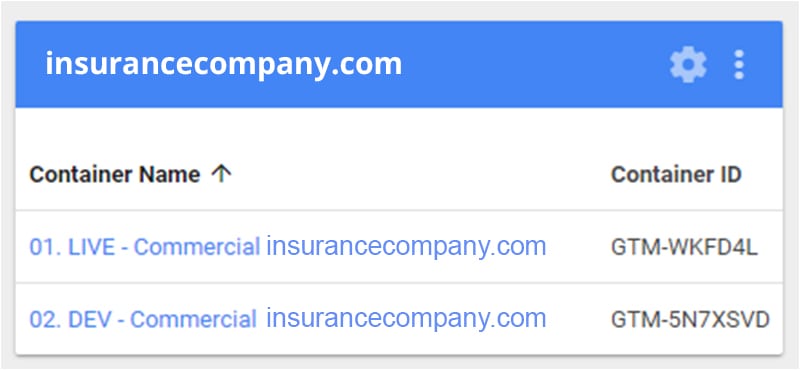
Inline code change for separating DEV vs LIVE…
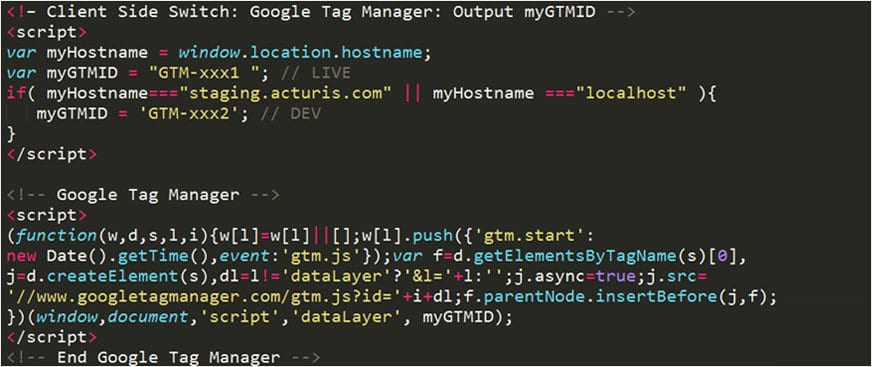
Recommended inline code change for DEV vs LIVE…
Tag naming conventions
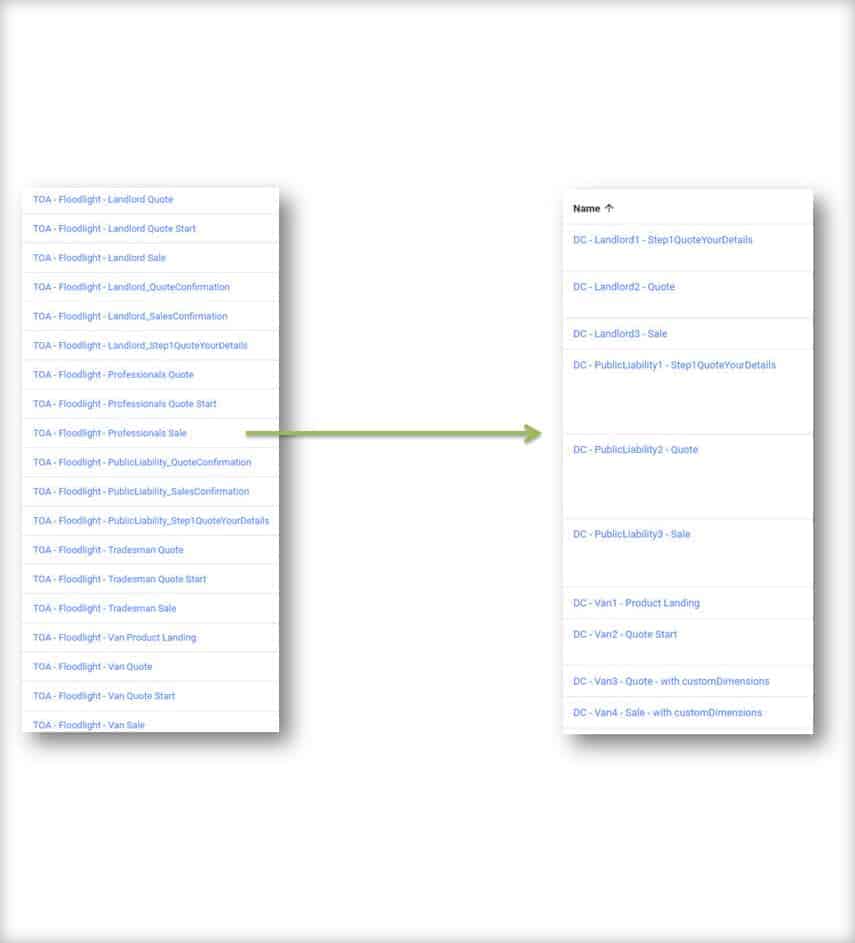
(BEFORE)
(AFTER)
DataLayer Planning
Critical DataLayers Variable inconsistencies
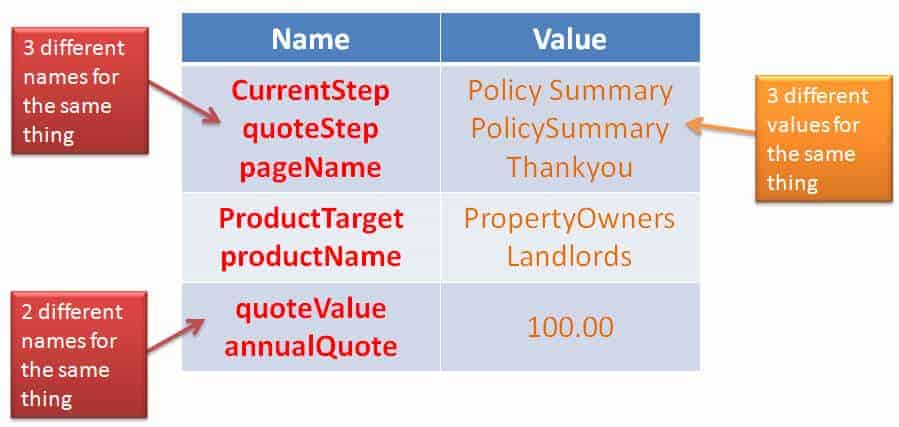
Note: Javascript is CASE sensitive

- Use camelCase for variable names:(e.g. productName NOT ProductName)
- Ideally, try to use lowercase variable values:(e.g. xxxx not XXXX ) except currency which must be capitals “GBP”
Tags functioning… Variables effect Triggers & Tags
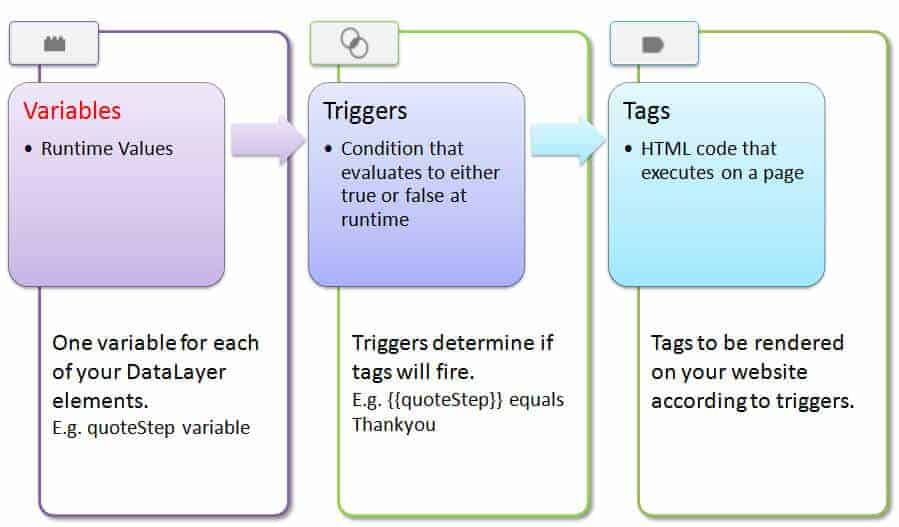
Existing Variables…
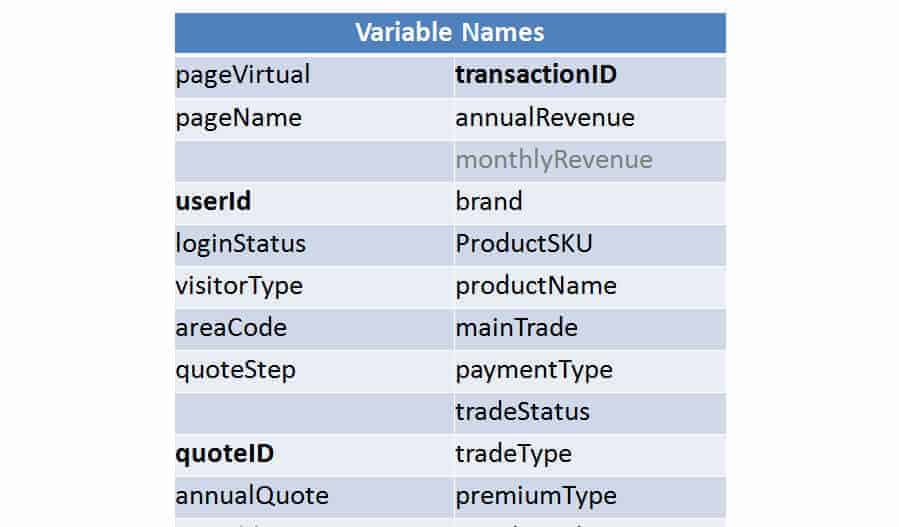
More DataLayers Variable inconsistencies
dataLayer = [{
‘quoteStep’: ‘Quote Summary’,
‘areaCode‘: ‘BR1 1DP‘
}];
dataLayer = [{
‘quoteStep’: ‘Quote Summary’,
‘areaCode‘: ‘BR1’
}];
// Should be ‘BR1‘ shortPostcode not fullPostcode
- www.insurancecompany.com/Quote/YourQuote2/ (correct)
- quotes.business-insurance.Client.com/AWE/Container.aspx?CurrentStep=QuoteSummary&ProductTarget;=PropertyOwners (wrong)
Human Erorrrs
Fixed eFilling JS error within JSON.parse error
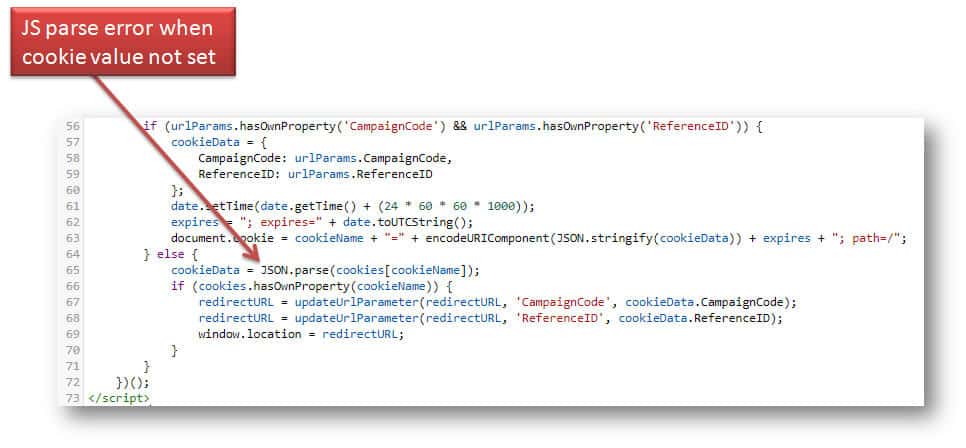
Fixed eFilling JS error within JSON.parse error
Fixed JS typo within product Variation.match
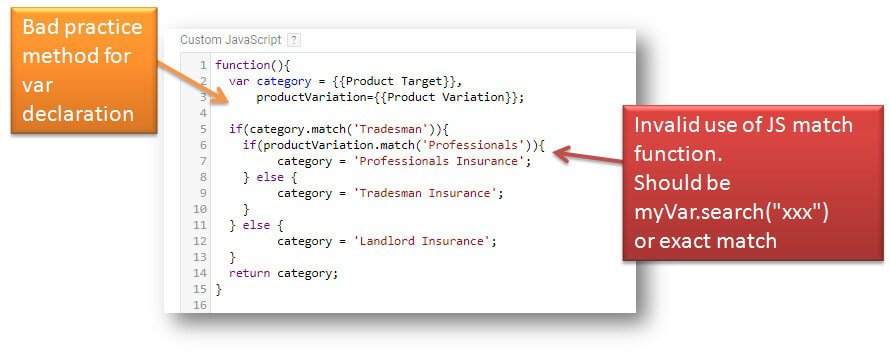
Fixed JS typo within product Variation.match
NO script tags wont work in Custom HTML tags…
USE templates for DoubleClick DONT use customHTML for these
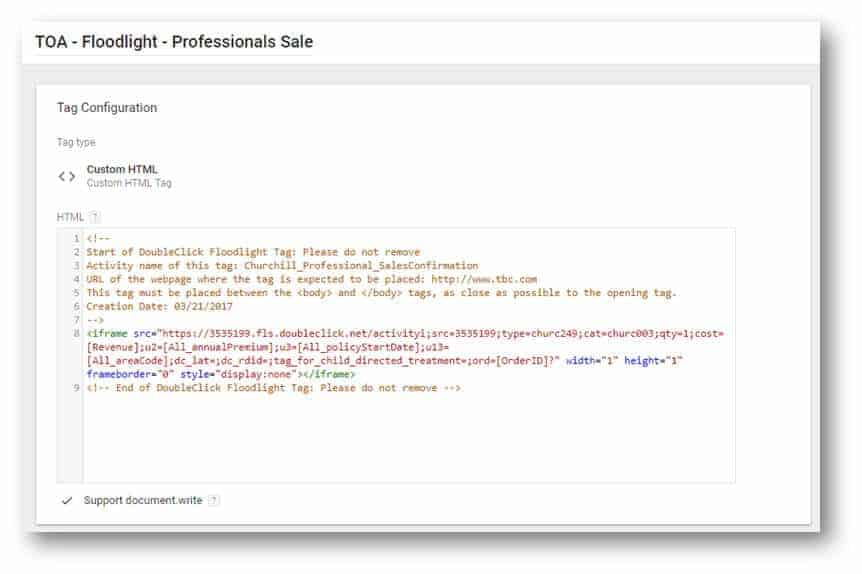
USE templates for DoubleClick DONT use customHTML for these
NO script tags wont work in Custom HTML tags…
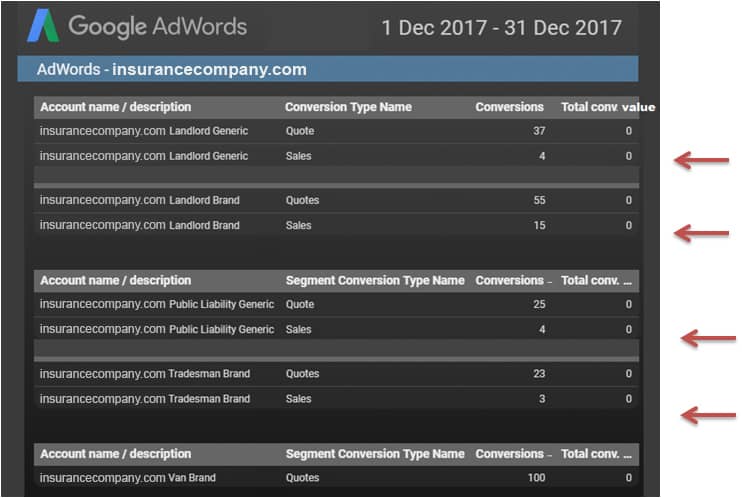
Adwords conversion revenue not enabled = ROAS bidding not possible
Bing conversion not enabled = CPA bidding not possible