Canonical Tag SEO: Beginners Guide | How to Use Easily

What is a canonical URL?
A canonical URL is the main version of a webpage selected by search engines to avoid displaying duplicate content in search results.
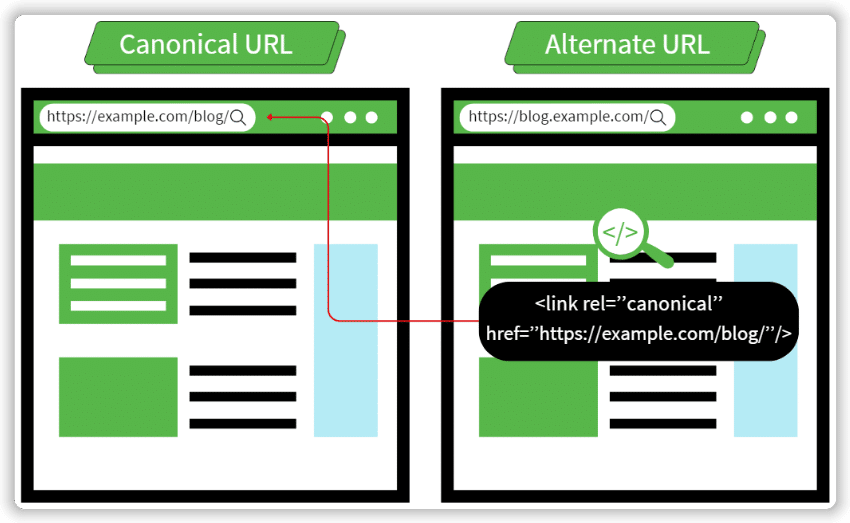
What is a canonical tag?
A canonical tag (rel=”canonical”) is an HTML snippet that designates the primary version among duplicate or similar pages on your site. This tells Google which version to index, consolidate link equity, and display in search results. This is sometimes called canonical tag SEO.

- Canonical tag SEO is essential for resolving duplicate content issues and managing near-identical pages efficiently.
- Keyword cannibalization occurs when multiple pages compete for the same keywords, harming each other’s rankings.
- This ensures the preferred version appears in search results, leading to higher click-through and conversion rates.
Note: Google now advises blocking syndicated content indexing with meta tags instead of using canonical tags.
7 Canonical tag best practices
1. Use absolute URLs
Absolute URLs include the domain and path. Relative URLs, which only include the path, should be avoided for canonical tags as they can confuse search engines.
Suppose your printables website had a “how-to” blog section. The absolute URL with the canonical tag would look like this.

You technically can set a relative URL as a canonical, which would look like this:

2. Stick to lowercase letters in URLs
- Search engines might see uppercase and lowercase URLs as separate, causing duplicate content issues.
- Be careful when manually entering canonical URLs.
- Implement server-side rules to enforce lowercase URLs across your site.
Here’s an example of how such rules look like:

3. Use the correct domain protocol
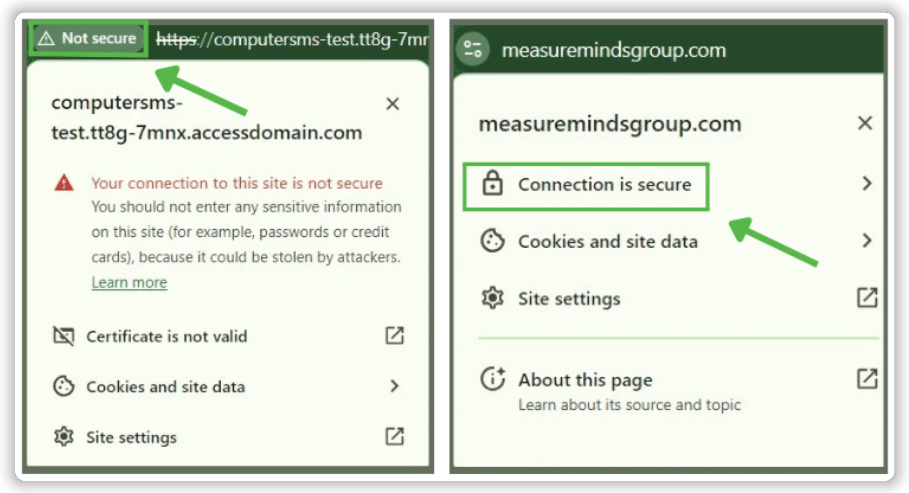
Using the secure HTTPS protocol is an important ranking factor, as users’ online safety is one of Google’s main priorities. When setting canonical tags, don’t forget to ensure consistency by including HTTPS instead of HTTP.
4. Specify trailing slash vs. non-trailing slash URLs
Consider the trailing slash (“/”) when defining canonical URLs. For example, a URL with and without a trailing slash.


These two links may appear identical, but search engines treat them as separate URLs despite having the same content.
5. Specify non-WWW vs WWW URLs
- Decide whether to use the WWW prefix for your site and consistently apply this choice across all canonical URLs.
- Inconsistencies in using the WWW prefix can be seen as duplicate content by search engines.
- Google doesn’t prioritise the use of WWW or non-WWW for SEO.
- Ensure you don’t configure both WWW and non-WWW versions simultaneously without specifying the canonical version.
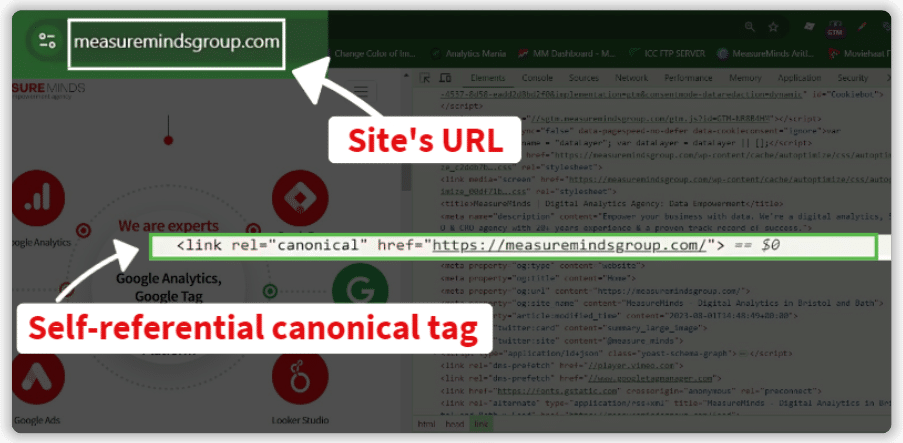
- Self-referential canonicals point to their own URL, unlike canonicals that direct from duplicates to the main version.
- Self-referential canonical tags clarify which URL to index when multiple parameters lead to the same content.
7. Specify only one canonical tag per page
- Multiple canonical tags for one page create indexing confusion, defeating their purpose.
- This allows Google to decide which page to rank.
- Multiple canonicals are often set accidentally, such as in the CMS and again in the page’s HTML.
- Ensure each page has only one canonical tag to avoid this issue.
- Autoblock vs Google Consent Mode Categories: Pros & Cons - 22/04/2026
- Privacy Attack Vectors: What are They & How to Defend Against Them - 10/04/2026
- What are the Different Types of Consent? - 11/02/2026