My Experience With GTM Templates and Missing Features in Them

Templates have become a valuable tool within Google Tag Manager. But, despite their usefulness, there is still room for improvement. What that in mind, let’s look at some of the features we’d to see added the process of publishing GTM templates.
But, first things first…
This is a webinar write-up of Matteo Zambon’s talk at GTM4ward V2. Find his slides here and a YouTube recording of his session below:
What is a GTM template?
The GTM template was created in 2019 and designed for multiple purposes. These include minimizing the weight of GTM tags, optimizing performance, providing a higher level of code security, and removing the Google ‘check’ (which delays tag and variable publication).
Using a GTM template you can create your own tag or variable for tracking, performance, or functionality purposes and share it with all GTM users.
Before GTM templates, the only way to use non-built-in tags was through custom HTML. There were, however, multiple downsides to this approach. Firstly, when you use custom HTML, you increase the size of the container. There is a 400kb storage limit within GTM, so this wastes valuable space.
Additionally, by inserting a script into the custom HTML, there is a risk of breaking some pages. You even risk injecting potentially damaging, malicious code.
That’s why, the goal of the GTM team is to completely depreciate custom HTML.
Why you should publish a GTM template
With nearly 1,200 custom templates, the GTM community template library has plenty of options for users. This includes choices for those operating on Client-side and for users who have set up GTM Server-side.
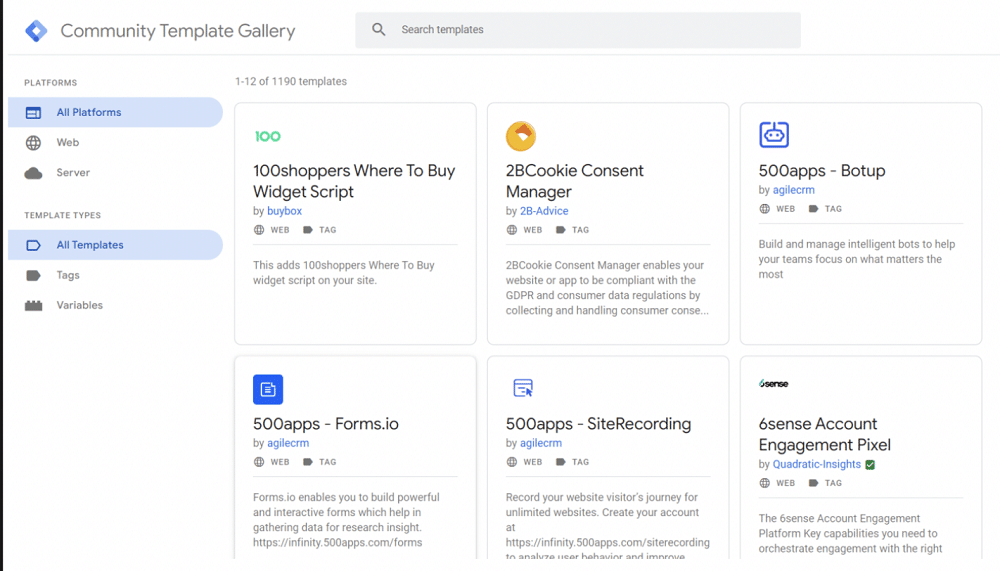
Leveraging the Community Template Gallery represents a great opportunity. It can increase your brand visibility; by publishing tags and variables, you prove you’re an expert in your field. You’ll also foster community engagement. Users will be happy when they find the tags and variables they’re looking for.
Lastly, you open the door to new business opportunities. The ability to create tags and variables is a much sought-after skill. By demonstrating your abilities, you can turn template creation into a money-making enterprise.
The process of publishing every GTM template follows five steps. These are:
- Build your template
- Prepare your project files
- Upload your files to GitHub
- Submit your template
- Wait (the delay is currently around days)
Top tips for publishing GTM templates
Use a GitHub-verified organization
You can gain a verified badge next to your template by verifying your identity via your domains. This helps build trust and gain more engagement from the community.
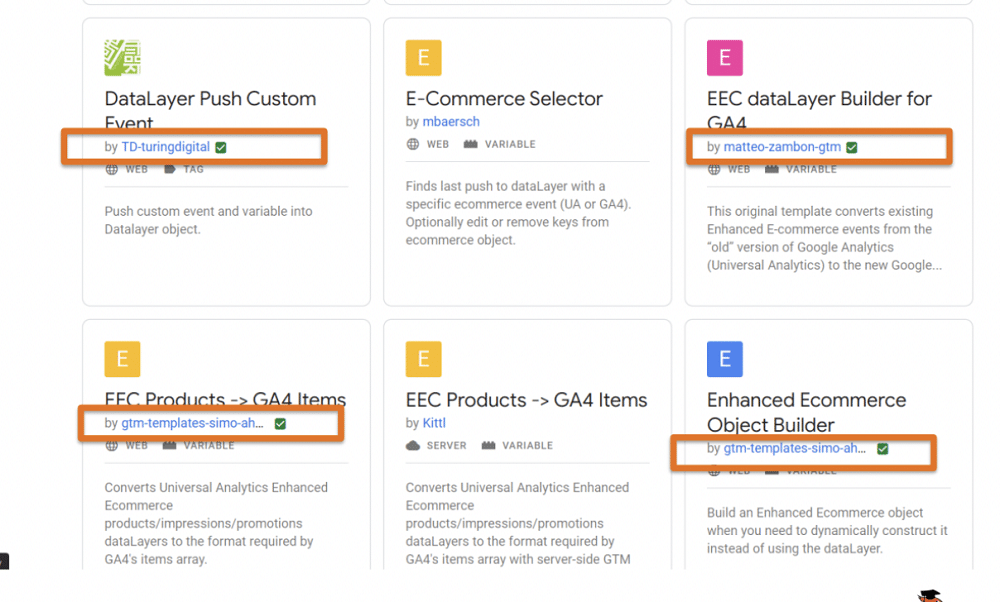
Note: This verifies your organization. It doesn’t reflect the quality of your scripts, tags, or variables.
Always add the documentation
It’s important to remember that not everyone has the same level of expertise. A comprehensive guide with examples is crucial for users to understand and effectively utilize your template.
Always provide clear and concise documentation with your templates. This will help users of all skill levels understand how to use them.
For example, let’s imagine you’re downloading a new tag. You head to the repository and see something similar to the image below. You have no idea what the tag does or how it helps you.
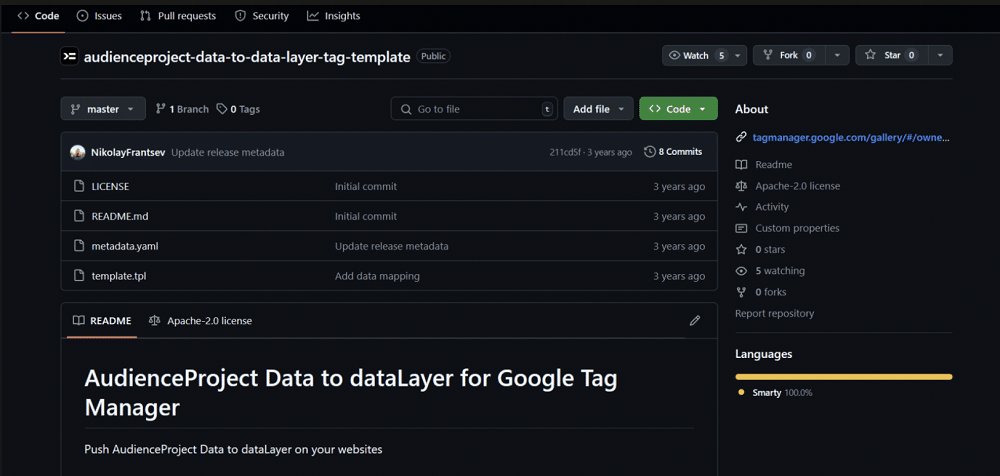
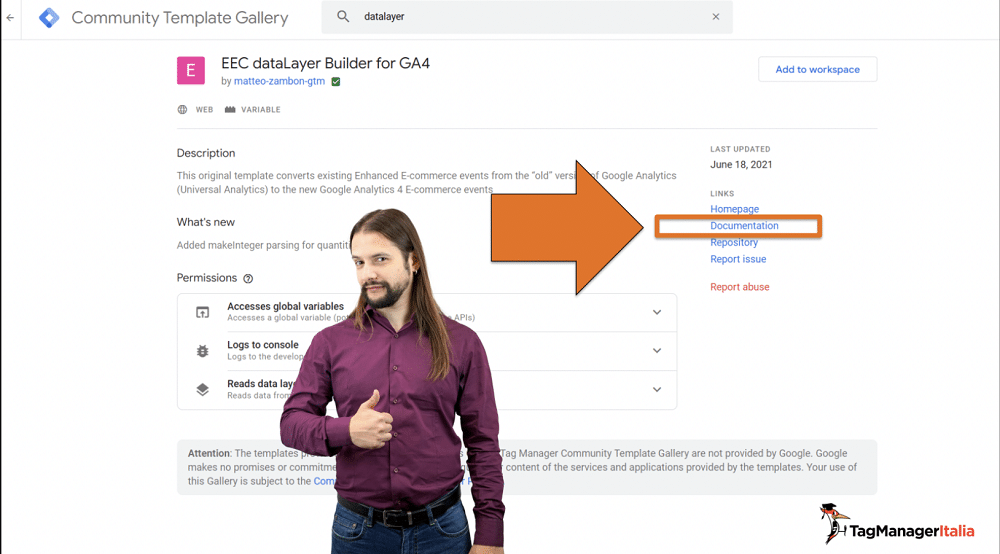
The best option is always to include documentation so that users have clear instructions. It’s also a good idea to put documentation directly within GitHub.
GTM gallery: improvements we’d like to see
Alongside the GTM gallery, WordPress also offers a gallery for GTM plugins. This contains several features that would be useful in the GTM gallery. Let’s look at some of the key elements we’d like to see included.
Ratings
Ratings provide valuable insights into various aspects of research. If users see a higher rating, they’re more likely to import a container template, tag, variable, or script.
Number of active installations
Most popular = most trusted. If your template has a high rating and lots of downloads it can be a powerful combination.
Reviews
Users should be able to leave reviews of your templates. They help users gain more context before downloading your tags.
Search by
Users should be able to search the gallery by filtering based on various areas. These include:
- More popular (active installations)
- Rating
- Date (Last update)
What about you?
What new GTM template features would you like to see? Let us know!
About Matteo Zambon
Co-Founder and CTO of Tag Manager Italia, a consulting and training company specializing in tracking and digital analytics, Matteo Zambon is an internationally renowned digital analyst, an official Beta Tester of Google Tag Manager and Alpha Tester of Google Analytics 4.
He’s the only professional ever to receive two international awards in digital analytics: the “Golden Punchcard Prize” for the software “Tag Chef” as the best digital analytics application, and the Quanties Awards – the “Oscars” of digital analytics – for the “Top Analytics Educator” category.
SuperWeek, Measurecamp Europe, Measurecamp UK, MeasureSummit, Measurecamp North America, ADworld Experience are just some of the most important international events where Matteo held his workshops and educational speeches.