What is Consent Mode Monitor? Free Consent Mode Checker

Concerned about staying on top of compliance issues? MeasureMinds has a solution!
Consent Mode Monitor is a FREE Consent Mode checker built by MeasureMinds Group. It audits your Google Tag Manager (GTM) container to confirm whether Consent Mode V2 is enabled, whether tags have the right consent signals, and which tags are missing consent checks.
Why did we build Consent Mode Monitor?
As many as 91% of all sites use Google Tag Manager. However, the current tools that check if consent mode has been enabled properly are only web scrapers and don’t scrape a tag management system directly.
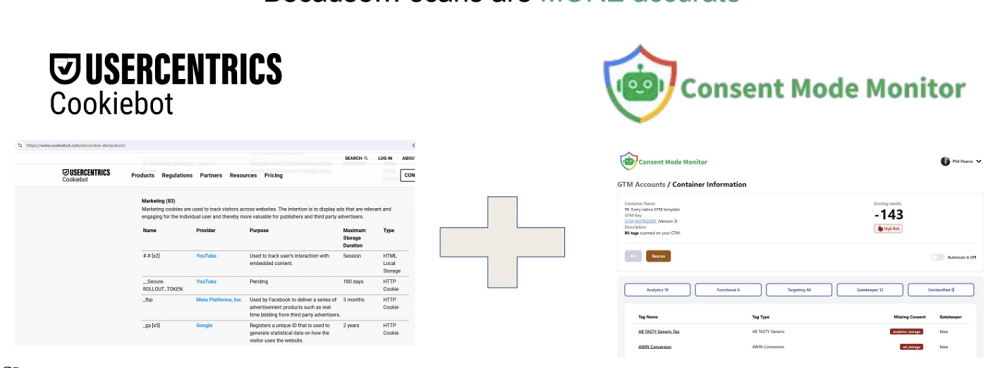
To ensure compliance, you need a web scanner (eg, Usercentrics or Cookiebot) and a TMS scanner. This is where Consent Mode Monitor comes into play.
The tool scans your GTM container to look for Google Consent Mode categories (eg, set or not set).
Web scanners can’t always get behind login pages or go deep into your configuration settings. This means you may not get a complete overview of how compliant your setup is.
The image below compares the Cookiebot cookie table to the Consent Mode Monitor table, showing tags with classifications.
Advantages of using a TMS scanner
Future-proof your setup
Using the Consent Mode Monitor, you can also scan server-side. This follows a largely identical process of looking at tag classifications and ensuring that fields are set.
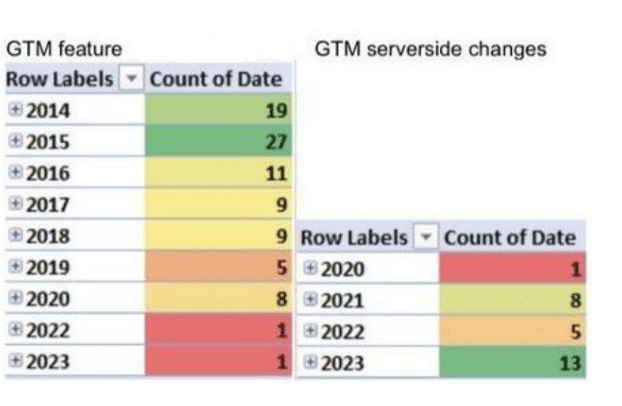
As you can see below, in terms of GTM changes, GTM Server-side has received a much higher number of updates. Much more attention is being paid to Server-side by Google and for good reason.
Server-side is also arguably better for handling compliance, as you gain more control over your data. Google Ads remarketing can be affected by implementing Consent Mode. More granular control means that the level of data you collect is less likely to be impacted.
Avoid web scan blocking…
Web scanners are often blocked by Cloudflare or AI bot blocking tools. Using Consent Mode Monitor, you only need to enter your GTM account ID and get the desired results. Because it scans tag management systems instead.
Using the Consent Mode Monitor
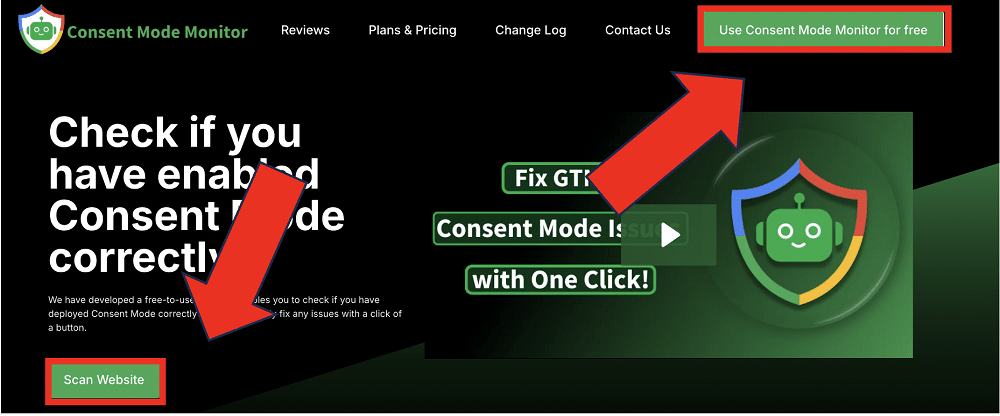
To get started with the Consent Mode Monitor, simply head to consentmodemonitor.com. From there, click the ‘Scan Website’ button or select ‘Use Consent Mode Monitor for free’.
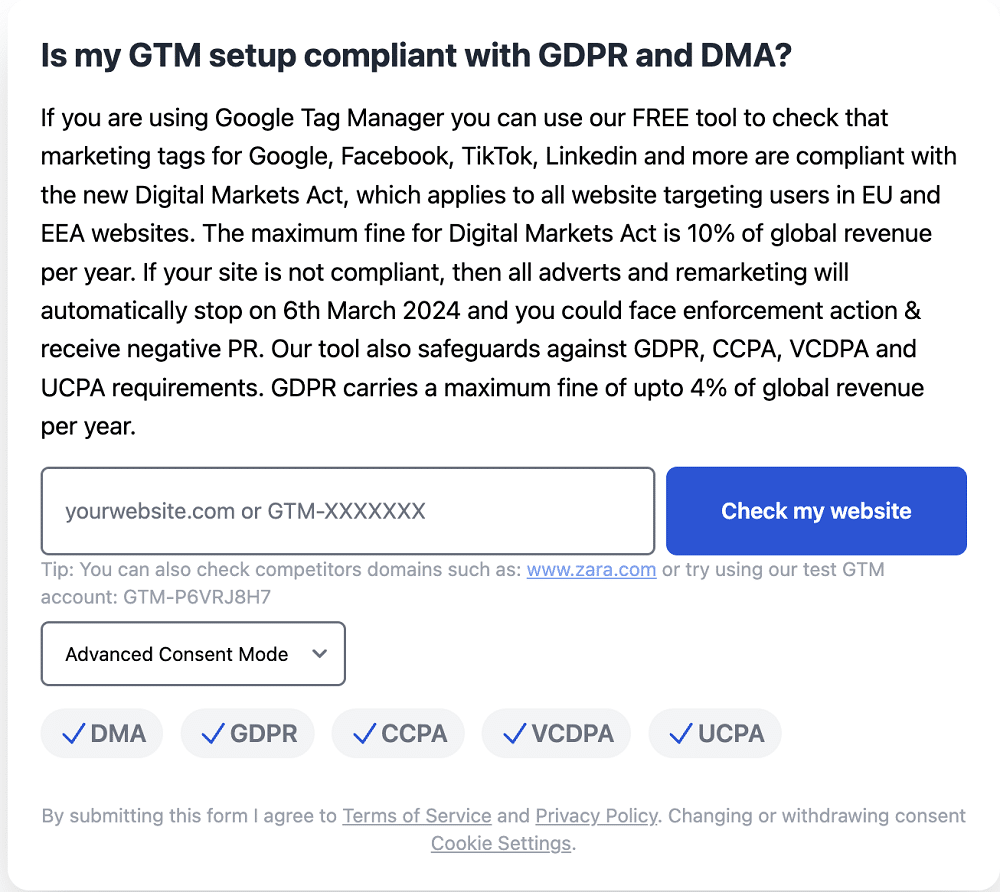
Now, simply enter the URL of your website into the box and hit ‘Check my website’. You can choose to login via Google Auth to use ‘authenticated mode’, which provides access to reports of previous scans. You also have the option of scanning without signing in.
Authenticated mode will take a little longer, as this is reliant on the Google API.
When you scan your site for consent mode mistakes, you’ll receive a report similar to the image below. The report is split into different tag categories, so you can identify different issues easily.
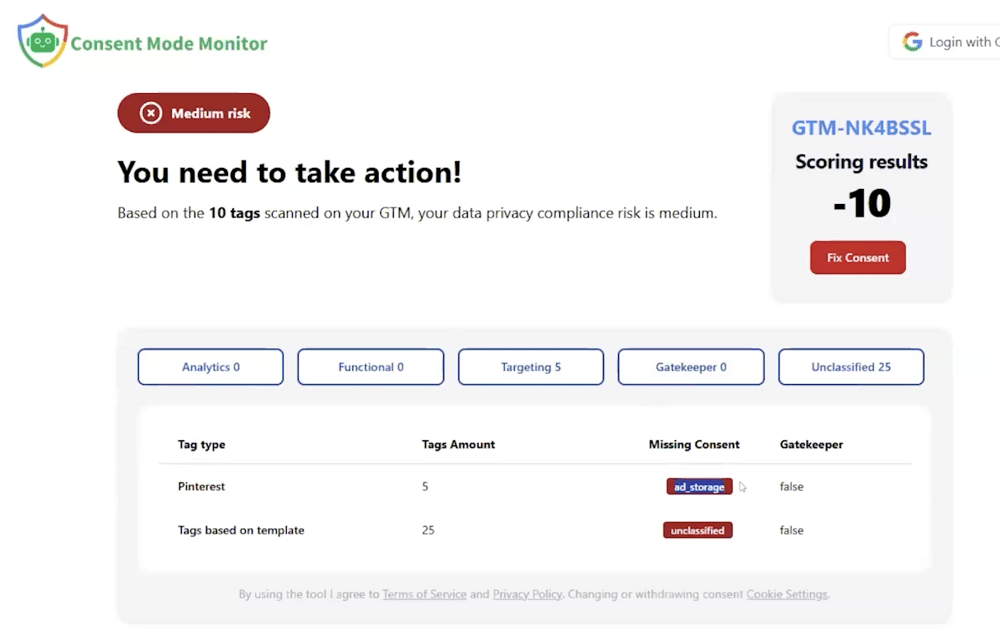
You can choose the ‘Fix Consent’ option to handle any issues that are identified.
Note: We don’t ask for publish access; you have full rights to close and deploy the workspace.
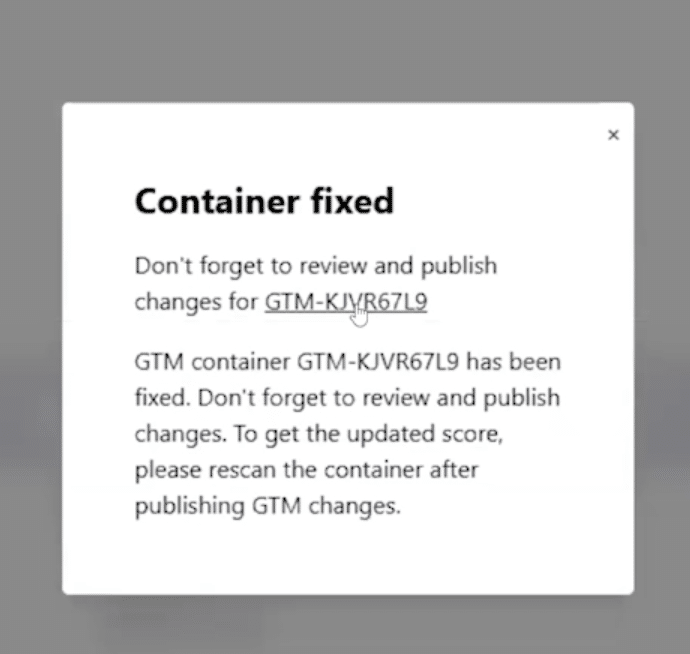
When complete, you’ll get the following pop-up message.
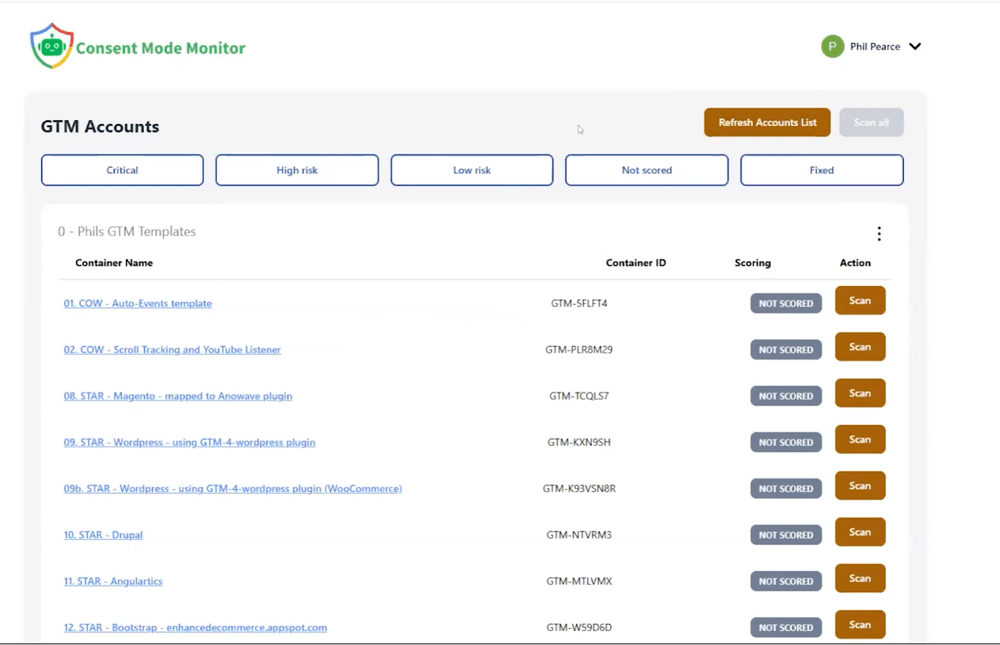
When you log in to Consent Mode Monitor, you’ll also receive an overview of all your GTM containers alongside their consent score. You can select any container for more in-depth information.
Chrome Extension
The Consent Mode Monitor Chrome extension lets you verify what is happening on the page while you browse.
It is useful for quick checks during QA, audits, and troubleshooting without jumping between tabs.
Google Sheets Add-on
Prefer working in spreadsheets? The Consent Mode Monitor Google Sheets add-on helps you scan and track multiple
sites in a single sheet, which is ideal for agencies and consultants managing lots of domains.
How much does Consent Mode Monitor cost?
Consent Mode Monitor is free to use for manual scans.
If you want automated monitoring and one-click remediation, choose a paid plan:
- Free Plan (€0/month): Manual scans
- Agency (€24.50/month, 50% off): Everything in Free, plus 1-Click to Fix and automated monthly scans with email alerts
- Enterprise (€124.50/month, 50% off): Everything in Agency, plus weekly scans, email alerts, and an unlimited number of accounts
App awards + other app development
MeasureMinds’ Consent Mode Monitor has come runner-up twice in a row for the Digital Growth Awards.

Alongside this tool, we have built four other apps, which can also be accessed for free. These are:
Try it out!
Consent Mode Monitor is a powerful tool that helps you stay on top of compliance. Why not try it for free and avoid Consent Mode fines?