Google Signals and Consent Mode: What This GA4 Change Really Means

Currently, more than one control shapes whether advertising data can be used between GA4 and Google Ads. Google Signals affected some ad-related use of GA4 data, while Consent Mode signalled whether ad-related storage had been granted or denied. So teams often looked at both when trying to understand what could be used for advertising.
From 15 June 2026, that changes. For Google Ads data use, ad_storage becomes the main control to watch. In plain terms, the consent signal now carries more of the decision-making weight for this part of the setup.
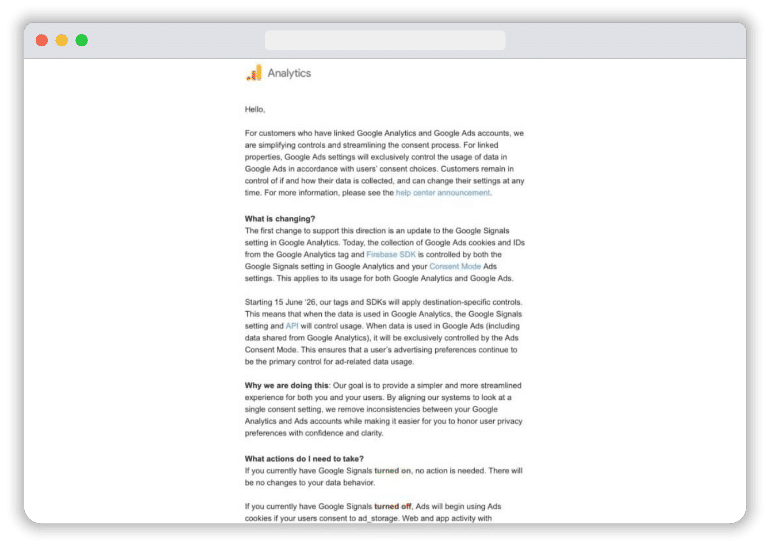
Google Signals does not disappear. It still has a role inside GA4 for some behavioural reporting. But for this specific Google Ads use case, it is no longer the control that many people thought it was.
Why this matters
Google can fairly say this change is simpler. One control now matters more for this Google Ads use case. But it removes a layer that many teams had started to treat as a safety net.
Many teams turned Google Signals off to control how advertising data flows to Google Ads. But from 15 June 2026, if ad_storage is granted via Consent Mode, it doesn’t matter if Google Signals is turned on or off; Google Ads will collect and associate activity with their signed-in Google account.
Wrong consent mode setup now has clearer consequences
If the handoff between the CMP and GTM breaks, the risk is greater as you are either losing data or collecting data when you’re not supposed to.”
It also exposes a bad habit that has been common for years. Some teams assumed that having Google Signals off gave them extra protection, even if their consent mode implementation was messy. In reality, the control that matters most for this flow sits closer to the consent signal itself.
This is now an implementation issue, not a settings issue
It is now less about what sits in the GA4 admin and more about what happens on the website. The real risk lies in the live setup: how the CMP behaves before and after the banner interaction, whether GTM receives consent updates at the right time, whether tags respect those signals properly, and whether the GA4 to Google Ads link is still using consented data as the team expects.
What teams should check now
Before 15 June, this is the part that needs proper review. The goal is to check what your Consent Mode setup in Google Tag Manager is actually doing on the site & follow best practices for setting up Consent Mode in GTM.
Check how ad_storage behaves by default and after consent
Start with the signal that now matters most for this Google Ads use case. Is ad_storage denied by default where it should be? Does it change only after a real user choice? If your banner, CMP, or consent template doesn’t fire as intended, this update increases the chance that either more or less ad-related data is being used than the team expects.
Check whether the consent update reaches GTM properly
A lot of problems sit in the handoff between the CMP and GTM. The banner records a choice, but the update does not reach GTM properly, reaches it too late, or reaches it in a broken state. That is where teams can think consent is working while tags are still behaving the wrong way.
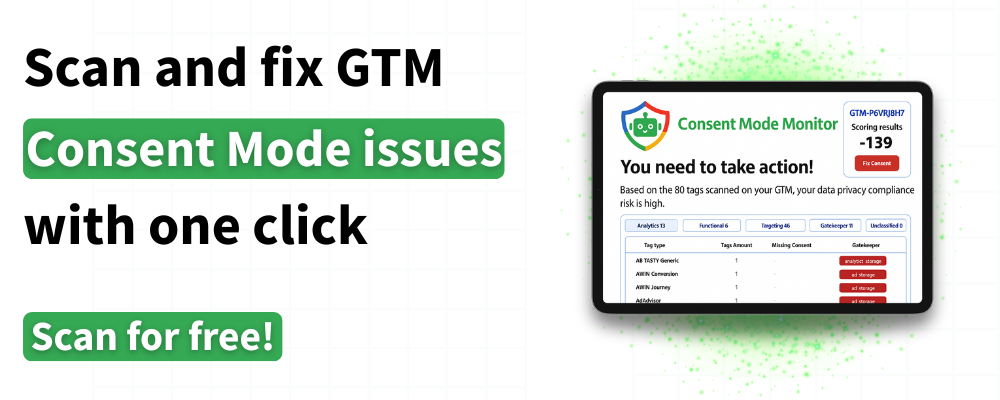
This is also where a tool like Consent Mode Monitor can help as a quick audit step. It is designed to check published Consent Mode implementations, flag missing or misconfigured consent settings in GTM, and highlight tags that do not appear to match consent choices.
Then look at tag behaviour itself. Are Google tags waiting for the right consent state? Is anything firing before it should? And does the GA4 to Google Ads link still reflect what the team actually wants from a measurement and privacy point of view?
If those answers are not clear, the documentation probably needs updating too. This change is easier to manage when the implementation, reporting intent, and internal understanding all line up.
Final thoughts
This change is simpler, but it is not trivial. Google has made the control model easier to describe, yet that also puts more pressure on the real implementation.
Teams with a clean Consent Mode setup should be fine. Teams with weak defaults, late updates, or poor tag governance are now more exposed. That is what this GA4 change really means.