Klaviyo Server-Side Tracking Made Easy | Stape Template

Many businesses use Klaviyo web tracking for monitoring user interactions. But what if there was a way of getting more reliable and even gaining faster site speeds? The good news is that Klaviyo server-side can accomplish all these things and more. Let’s look at server-side tracking in more details.
This article is a write-up of one of the sessions at our GTM4ward event, given by Denis Golubovskyi, founder of Stape. Check out the recordings for detailed insights:
Why use server-side instead of web tracking for Klaviyo?
There are several benefits of choosing server-side over web tracking for Klaviyo.
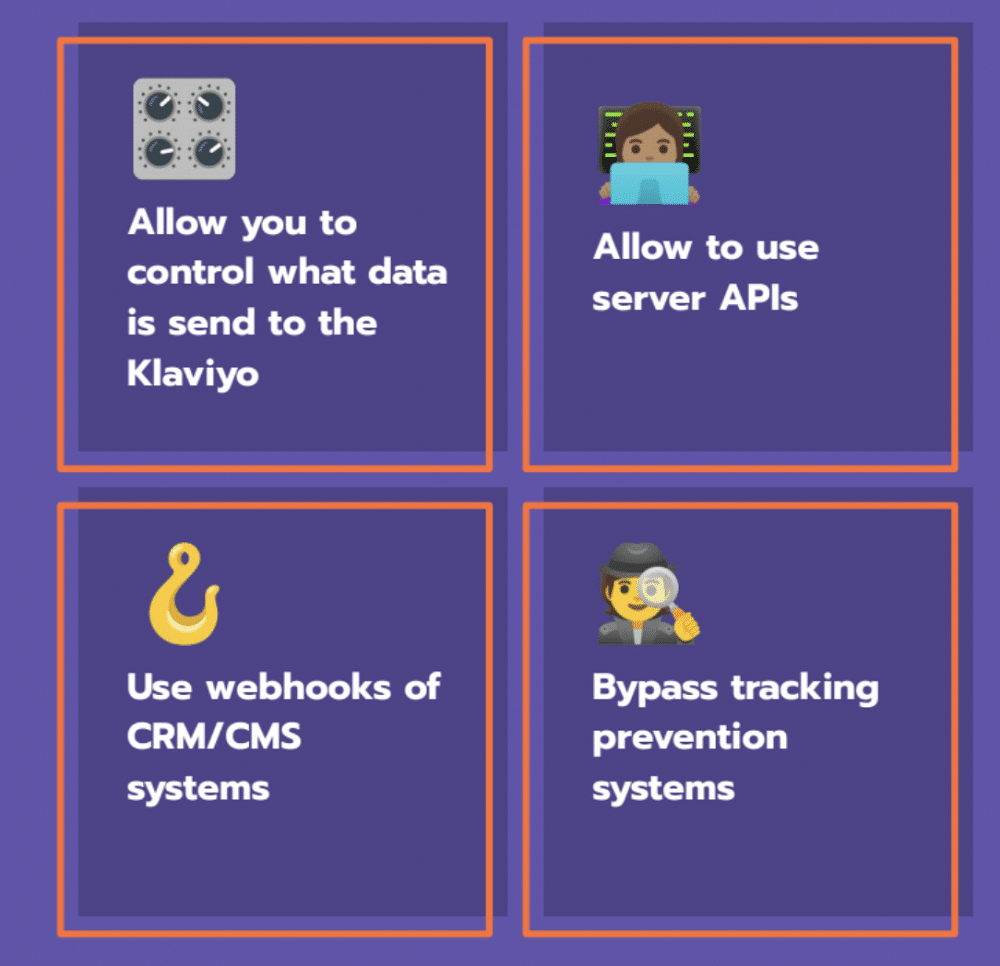
First, this approach enables you to determine which data is sent to Klaviyo. This is particularly useful for companies that need extra control over data. You can choose to send or withhold any information you’d like.
When you set up server-side tracking, you can also use server APIs that are unavailable for the web tag. For example, you can add or remove users from the list.
Many brands are now using server-side GTM as the main tool for collecting events from different sources (CRM systems, payment systems, mobile apps, etc). All thanks to the ability to use webhooks from CRM/CMS systems and send events to Klaviyo. This means if you sell items via phone calls, you can still use GTM to track events in Klaviyo.
On top of that, server-side tracking helps reduce the impact of ad blockers and ITP.
Klaviyo’s server-side tracking with Stape comes with several other advantages, including:
- Prolongs the lifetime of cookies.
- Improves marketing attribution by deciding which first-party data is sent to vendors.
- Enhances the security of your data.
- Allows you to enrich data from internal and external sources.
Server-side benefits for marketers
Unlike client-side tracking, server-side ensures more reliable data collection. Marketers receive cleaner, more complete datasets that better reflect actual customer behavior. This accuracy allows for more informed decision-making, as the data is more trustworthy and comprehensive.
Server-side also means a faster loading speed. This results in a better overall user experience, which in turn, means improved enterprise ecommerce SEO. A faster site also contributes toward a higher chance of successful conversions.
Server-side Klaviyo template from Stape
Stape’s server-side Klaviyo tag currently has three main features. These are:
- Tracking user activity and identifying users on a website.
- Event tracking (add to cart, purchase, etc).
- Adding new customers to SMS and mailing lists.
Let’s look at each feature in more detail.
Active on-site tracking
Klaviyo creates one profile for each user but to differentiate between users, they must first be identified. This can be achieved thanks to the Stape Server-side template.
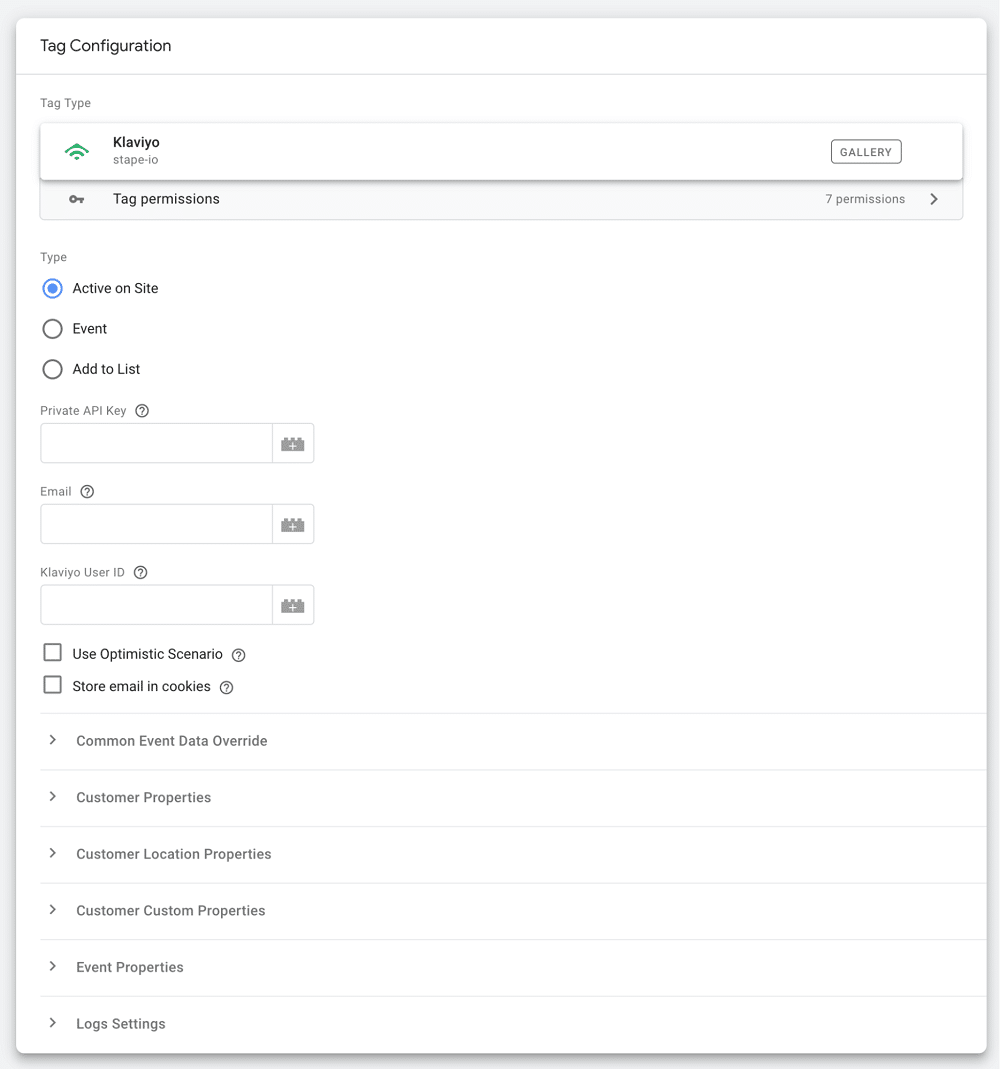
For example, let’s imagine you want to send an email to a user who has not visited your site in over a month. To do so, you’ll need to track all page views attributed to each customer. If a customer doesn’t visit the site, a flow triggers an email attempting to persuade the shopper to return.
Event tracking
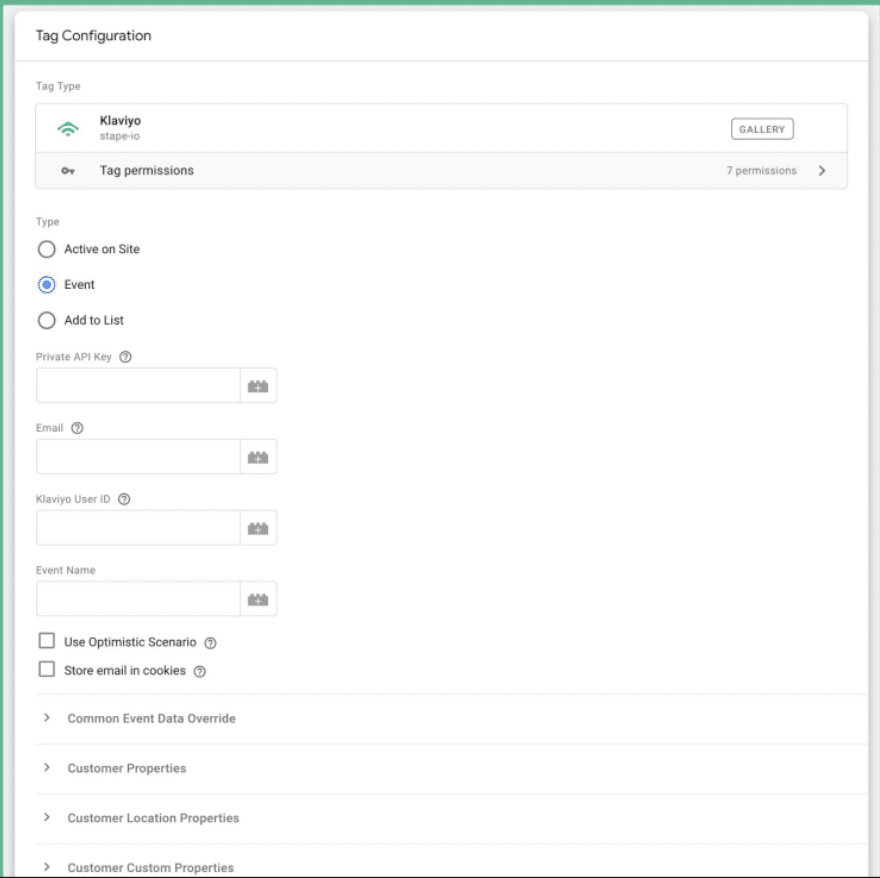
The event type in the Klaviyo tag is commonly used to track add_to_cart and purchase events (although it can be used to track other events). Later down the line, this will allow you to configure flows depending on tracked events.
Add to list
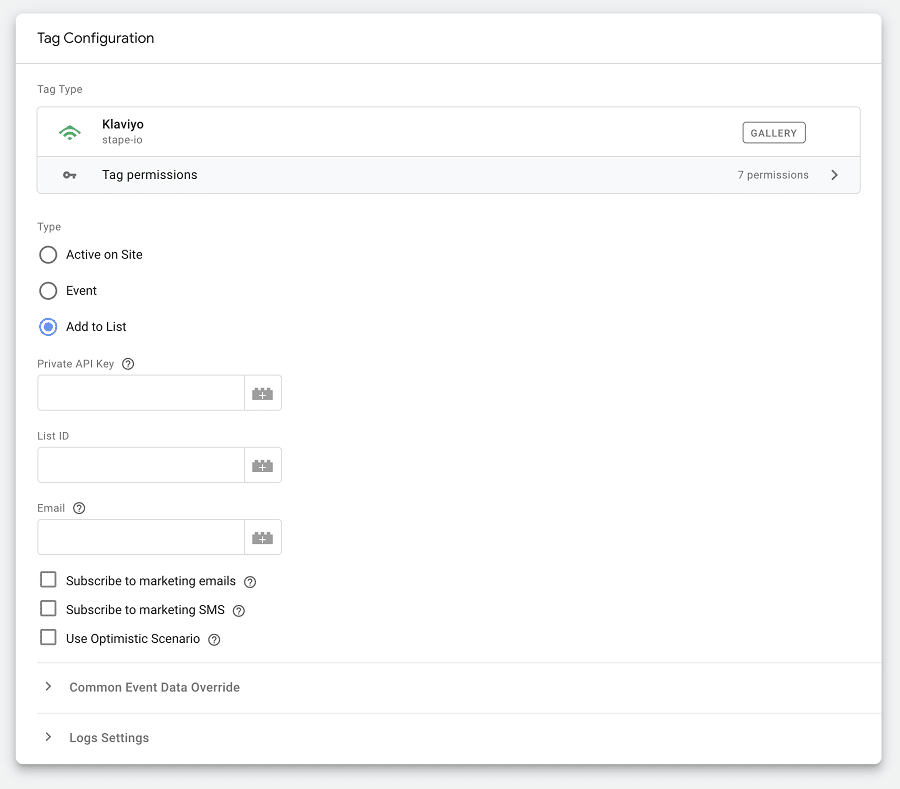
The add-to-list type allows users to sign up for newsletters. It will automatically add users to mailing lists in your Klaviyo account.
Cool small features
Stape’s Klaviyo tag also comes with several handy smaller features. These include:
- User email addresses are stored in cookies. You’ll never be impacted by the issue of mail not being included in your data layer.
- The marketing email preferences of individual users can be displayed.
- All GTM event data can be written to Klaviyo.
Stape is always interested to hear feedback. Be sure to get in touch if you have ideas for additional features!
Setup flow
Let’s explore how you can send data from the web to server-side container.
Step 1: Send required data from the web to server GTM container
There are two ways to send data to server-side GTM: Using GA4, or via the data tag/data client. The latter option is recommended, as the data has a built-in feature to store user data. This will help to track Klaviyo events more accurately by storing user emails.
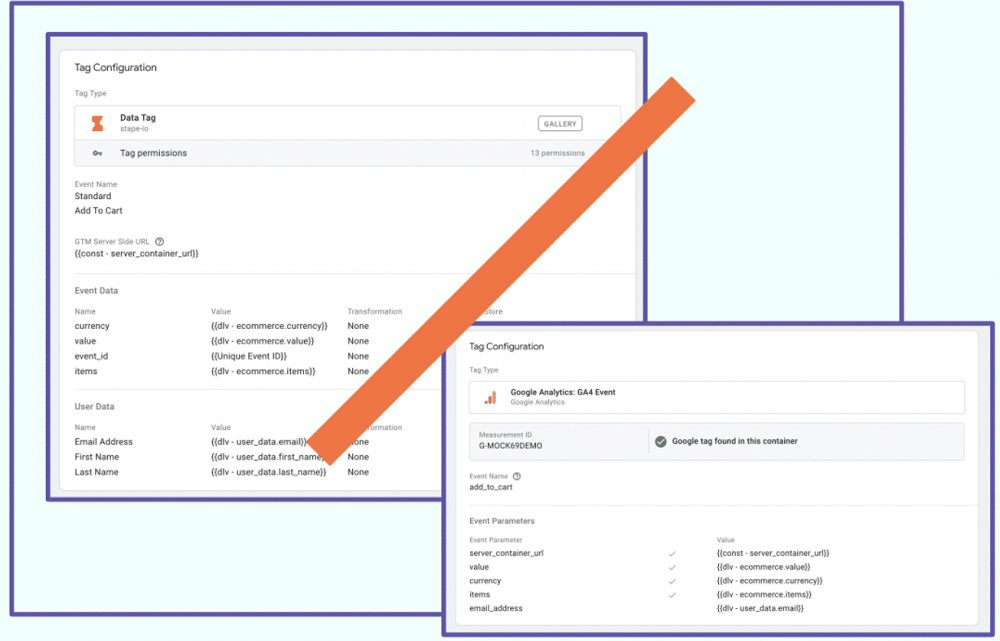
Step 2: Add Klaviyo template from the gallery
This can be found easily in the GTM gallery. Once found, simply click ‘Add to workspace’.
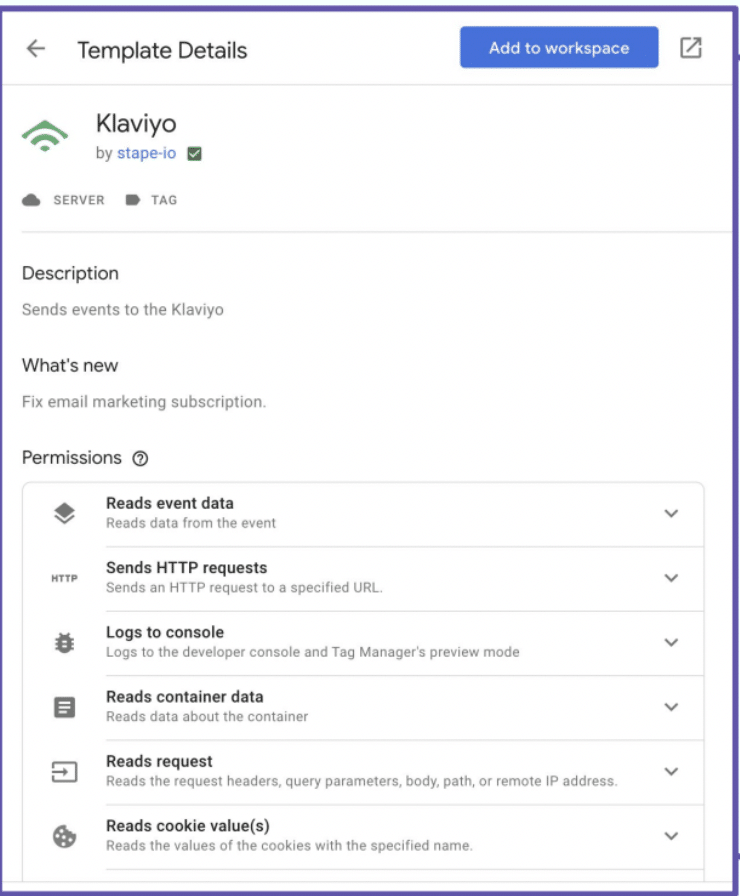
Step 3: Create & configure the Klaviyo tag in the server container
In the server container, create a new tag, select ‘Klaviyo’, enter your private API key, and add the events and user properties you wish to track.
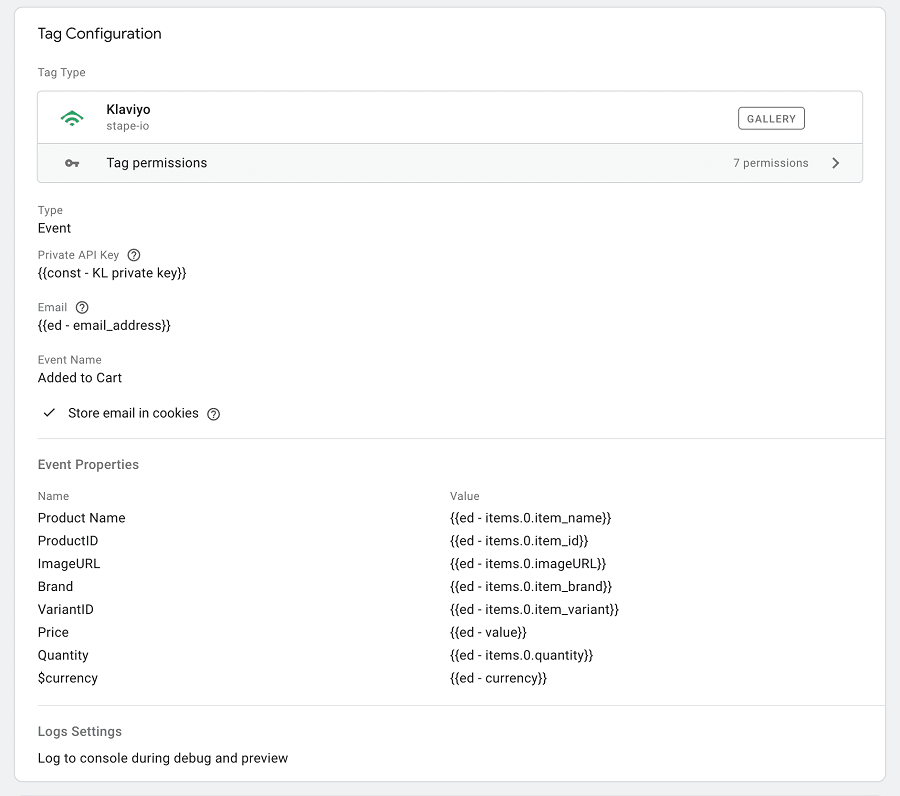
Step 4: Add a tag trigger
In this case, this tag triggers a custom event, “add to cart”, claimed by the Data Client.
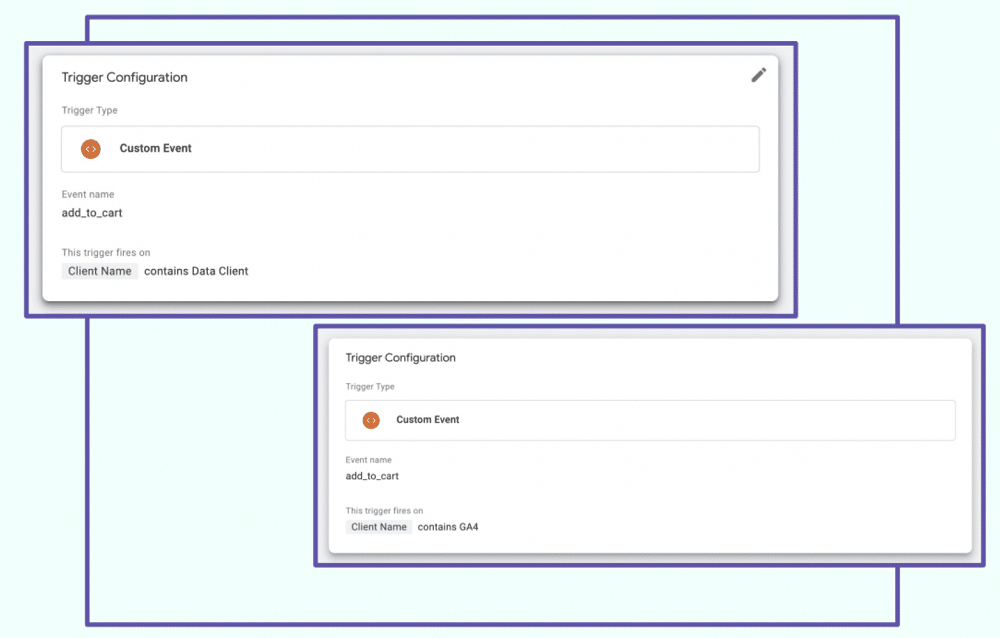
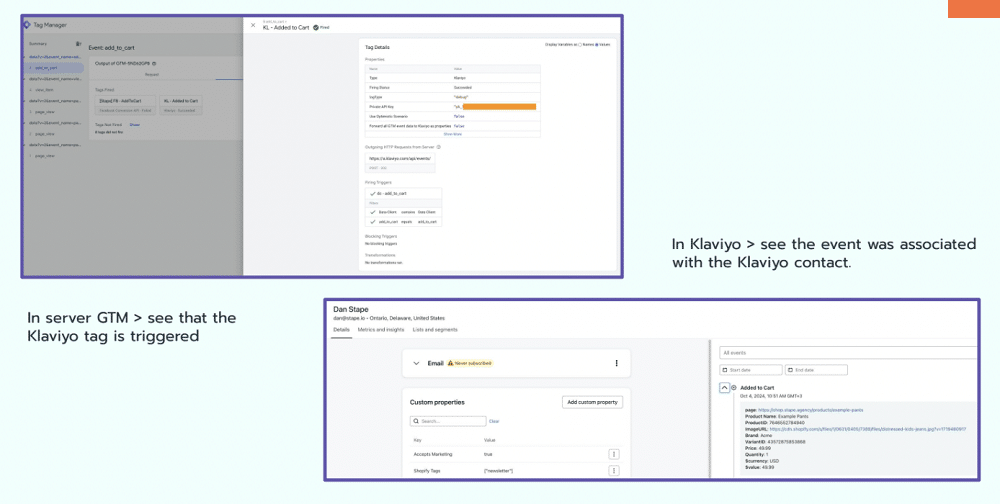
Step 5: Test the event
Check whether event information was received in Klaviyo. To do this, go to server-side GTM and make sure that the Klaviyo tag has fired successfully. In Klaviyo, make sure that the event is associated with the Klaviyo contact.
Bonus: Klaviyo Lookup variable
Stape created a GTM variable to retrieve the user profile from Klaviyo using the identifier (_kx).
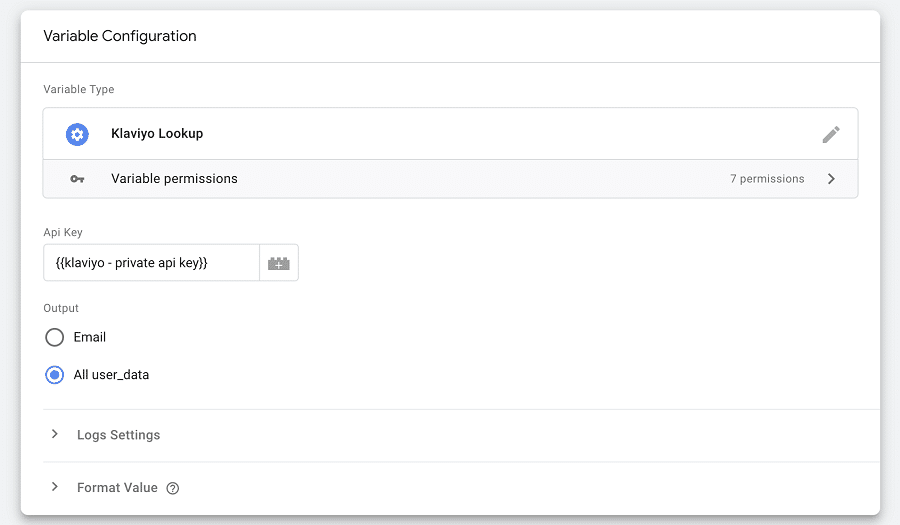
For example, let’s imagine you want to use the first name and surname for Facebook tag. You do not have this information inside the event data but you do have the data within Klaviyo. Stape’s variable can be used to engage the event data through transformations.
People are using more and more sources of information for enriching event data with GTM tools. Normally, you’d have to pay for Firebase or another database to gather this information. Thanks to Klaviyo, however, you gain access to data for free.
Case study: Obsidian digital
The following case study was reported to Stape by Obsidian Digital, one of its partners. Obsidian’s client, Scandinavian Biolabs, aimed to boost its email marketing revenue by identifying existing permissions to view products and add items to their carts more accurately.
The company needed a solution to track user behavior more precisely and trigger timely and relevant email automation.
To meet these needs, Obsidian Digital implemented server-side tracking via GTM, focusing on integration with Klaviyo for enhanced email marketing performance. The setup included server-side GTM implementation, custom server-side tracking for Klaviyo events, and improved data collection for product views and cart additions.
The final results were extremely positive. Scandinavian Biolabs saw a 91.84% in measured product views, and a 48.86% increase in the product add to carts measured.
Use Klaviyo server-side. Be awesome!
Hopefully, we have helped you to understand why you should use server-side Klaviyo tracking. Why not try this approach on your next project?
How can I set up the Klaviyo user ID and where can I find it?
Please check the session given by Denis Golubovskyi, founder of Stape, to get detailed instructions: https://youtu.be/YJzaeaO-XVU?si=OWKWE_jBy3ZN3lCa